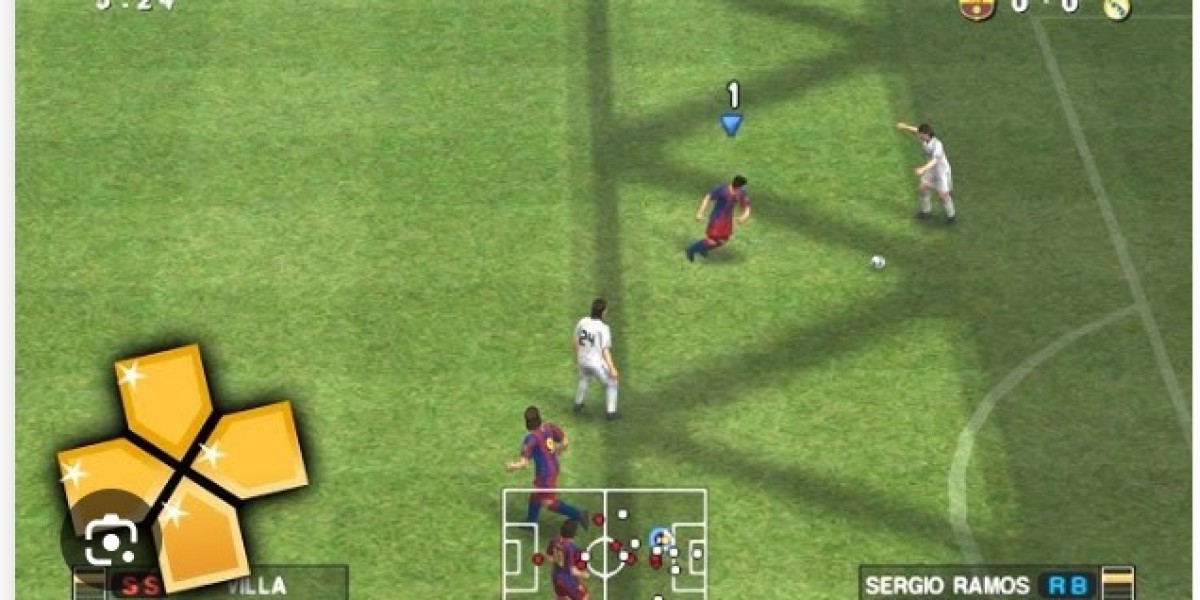
For many football gaming enthusiasts, the conversation about the "best football game ever made" often loops back to a specific golden era: the late 2000s and early 2010s. While modern titles boast photorealistic graphics and complex online ecosystems, they are frequently criticized for heavy monetization and scripted gameplay mechanics. This has led a massive surge of players back to the classics, with Pro Evolution Soccer 2011 (PES 2011) standing out as a fan favorite.
Thanks to the magic of emulation, specifically the PPSSPP (PlayStation Portable Simulator Suitable for Playing Portably) emulator, you don't need a dusting-off handheld console to enjoy this title. You can play it on your high-end PC, your Android phone, or even an iOS device with improved visuals and performance.
This guide explores why PES 2011 remains a staple for football fans and how you can get the best experience playing it via PPSSPP.
The Enduring Appeal of PES 2011
Why go back to a game that is over a decade old? The answer lies in the gameplay loop. Konami, the developer behind PES, was in a fierce battle with EA Sports' FIFA franchise during this period. This rivalry forced innovation. PES 2011 introduced a level of tactical freedom that was unprecedented at the time.
Total Control Passing
One of the defining features of this iteration was the overhaul of the passing system. Unlike modern games where passes often feel magnetically attached to the receiver's feet, PES 2011 utilized a power gauge for every pass and shot. This meant the player had total agency over the ball's trajectory. You could weight a through-ball perfectly into space, but you could also overhit it out for a goal kick if you weren't careful. This skill gap is what keeps players coming back.
The Peak of Master League
For offline players, the Master League mode in PES 2011 is legendary. It strikes a perfect balance between management simulation and arcade gameplay. Building a team from a squad of unknown default players (cult heroes like Castolo and Minanda) into a Champions League-winning powerhouse provides a sense of progression that modern career modes often struggle to replicate. The transfer market was simple yet rewarding, focusing on player development and smart scouting rather than complex financial fair play regulations.
Why Use PPSSPP?
The PSP version of PES 2011 was a marvel of engineering, effectively shrinking the PlayStation 2 console experience into a handheld format. However, playing it on original hardware today means dealing with a low-resolution screen and aging battery life.
PPSSPP revitalizes the game in several ways:
- High-Definition Upscaling: The original PSP resolution was 480x272. PPSSPP allows you to render the game at 4x or even 5x that resolution. On a modern 1080p monitor or a high-res smartphone screen, the textures look surprisingly crisp, and the player models are sharp.
- Save States: The ability to save the game at any exact moment is a godsend for busy gamers. You don't need to finish a match to save progress; you can freeze the state right before a penalty kick or in the 80th minute of a tight game.
- Controller Support: While the PSP had excellent buttons, playing on a modern Xbox or PlayStation controller via Bluetooth provides a much more ergonomic experience.
- Custom Textures: The emulator allows users to replace in-game textures. This means modders can update the grass, the UI, and even the kits to look modern, bypassing the limitations of the original game files.
Setting Up PES 2011 on PPSSPP
Getting the game running is generally straightforward, but tweaking the settings ensures you get smooth 60 FPS gameplay without graphical glitches.
Installation Basics
To get started, you will need the PPSSPP emulator, which is free to download from its official website or the Google Play Store. You will also need the game file, typically in .ISO or .CSO format.
Note: It is important to own a physical copy of the game before downloading ROMs or ISOs to comply with copyright laws.
Optimizing Performance Settings
Once you have the game loaded, you might notice some stuttering or audio lag depending on your device. Here are the recommended settings for a balanced experience:
- Backend: OpenGL usually offers the best compatibility for older titles like PES 2011, though Vulkan can be faster on newer Android devices.
- Mode: Set this to "Buffered Rendering." Skipping buffer effects can speed up the game but may cause the pitch to turn black or player shadows to disappear.
- Frame Skipping: Turn this Off. PES is a game of timing; skipping frames can make it difficult to time tackles and shots. If your device is struggling, set it to "Auto," but prioritize lowering the resolution first.
- Rendering Resolution: Set this to 2x PSP for older phones, or 4x PSP for modern PCs. Going higher than 4x rarely yields visible improvements and just taxes the GPU.
- Texture Filtering: Set this to "Anisotropic 16x" for sharper pitch lines and kit details.
The Modding Community: Keeping the Game Alive
The strongest argument for playing PES 2011 on PPSSPP today is the community support. Because the game engine is well-understood, modders have kept the game current.
You can find "Save Data" files and modified ISOs that completely transform the game. These mods often include:
- Updated Transfers: Playing with the 2011 mechanics but using the 2024 roster (e.g., Haaland, Mbappe, Bellingham).
- New Kits: Authentic jerseys for the current season.
- Face Packs: Updated player faces that look more realistic than the original 2011 assets.
- Stadiums and Balls: High-quality textures for famous stadiums and current match balls.
To install a Save Data mod, you simply download the folder (usually named starting with ULES or ULUS) and place it in the PSP/SAVEDATA directory on your device. When you load the game, the roster will be updated automatically.
Comparing PES 2011 to Modern Football Games
It is easy to view older games through rose-tinted glasses, but PES 2011 holds up objectively in specific areas where modern games fail.
The modern "eFootball" era focuses heavily on microtransactions and online connectivity. If your internet drops, your experience is hindered. PES 2011 is a complete, standalone product. You unlock boots and balls by playing matches, not by opening loot boxes or spending real currency.
Furthermore, the AI in PES 2011 behaves differently. CPU opponents will adapt to your tactics. If you keep attacking down the wing, they will double up on your winger. This adaptive difficulty makes the single-player experience engaging even hundreds of hours in.
Frequently Asked Questions
Can I play multiplayer on PPSSPP?
Yes, PPSSPP supports ad-hoc multiplayer. You can play against friends locally if you are on the same Wi-Fi network. There are also methods to play online using tunneling software like Hamachi, though this requires a more complex setup.
Does the game support cheats?
Yes, PPSSPP has a built-in cheat engine. You can import cheat.db files to unlock infinite Master League budget, maximum stats for your "Become a Legend" player, or unlock all shop items instantly.
Why do the player names sound wrong?
PES 2011, like many games in the series, lacked licensing for certain teams (specifically in the English Premier League). You might see "North London" instead of Arsenal. However, applying a fan-made "Option File" or Save Data mod fixes all team names, logos, and kits instantly.
Kick Off Your Nostalgia Trip
PPSSPP PES 2011 is more than just a trip down memory lane; it is a preservation of a specific philosophy of football gaming. It represents a time when gameplay mechanics were prioritized over graphical fidelity and monetization.
Whether you want to rewrite history with Barcelona’s 2011 dream team or guide a second-division squad to glory in the Master League, the barrier to entry has never been lower. With a simple download and a few tweaks to your settings, you can carry one of the greatest football simulations ever made right in your pocket.